 digest
The digestVid extension
digestVid turns YouTube and Vimeo videos into readable summaries and clean transcripts, right in your browser, using your own AI API key.
Chrome Web Store version coming soon. Until then, install the download below in about a minute.
How to install
Download the zip
Click Download digestVid 1.2.3 above.
Unzip it
Double-click the file (Mac) or right-click it and choose Extract All (Windows). You get a folder named
digestvid-extension-1.2.3. Keep this folder: Chrome runs the extension from it.Open the extensions page
Type
chrome://extensionsin the address bar and press Enter.Turn on Developer mode
Use the Developer mode switch in the top right corner.
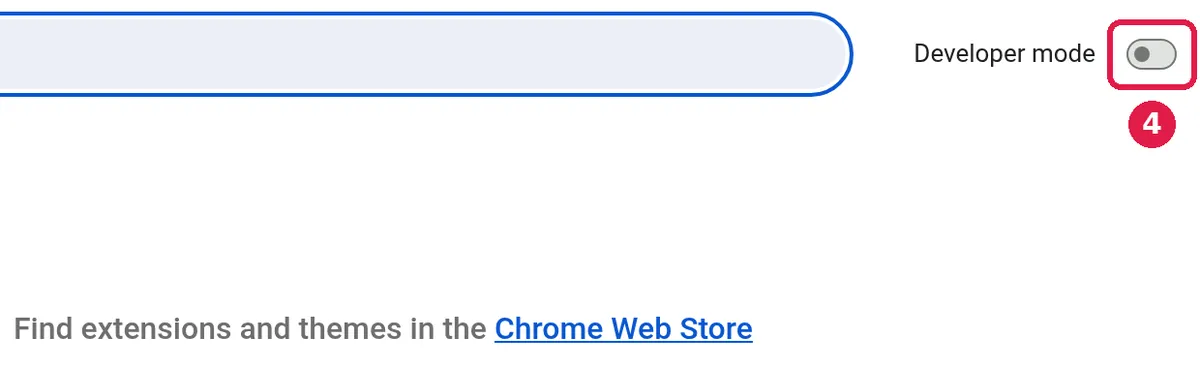
Screenshot: chrome://extensions, Developer mode switch (top right). Click “Load unpacked” and select the unzipped folder
Pick the folder from step 2 (the one that contains
manifest.json). digestVid appears in your list of extensions.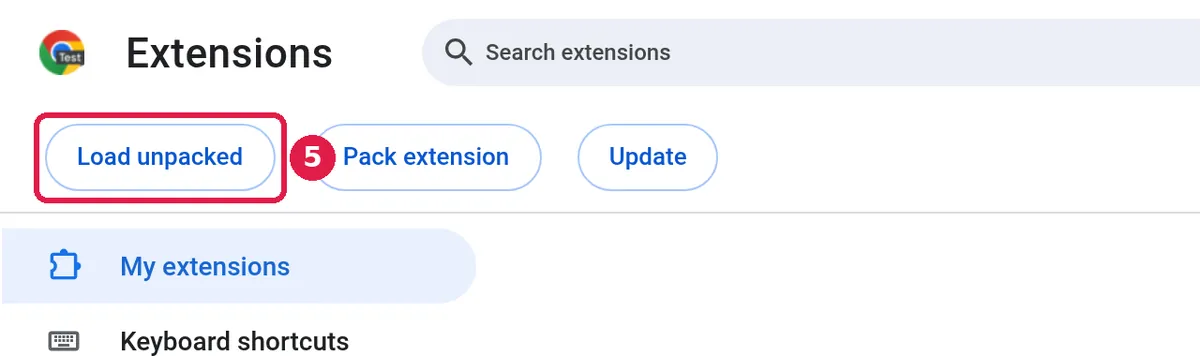
Screenshot: the Load unpacked button appears once Developer mode is on. 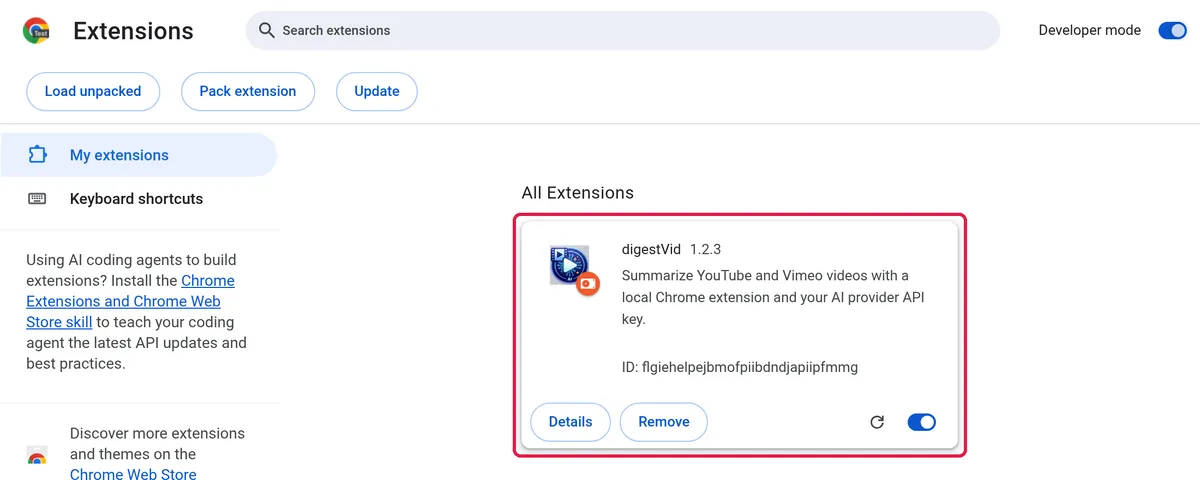
Screenshot: digestVid installed. Pin digestVid
Click the puzzle-piece icon in Chrome's toolbar, then the pin next to digestVid, so its icon is always one click away.
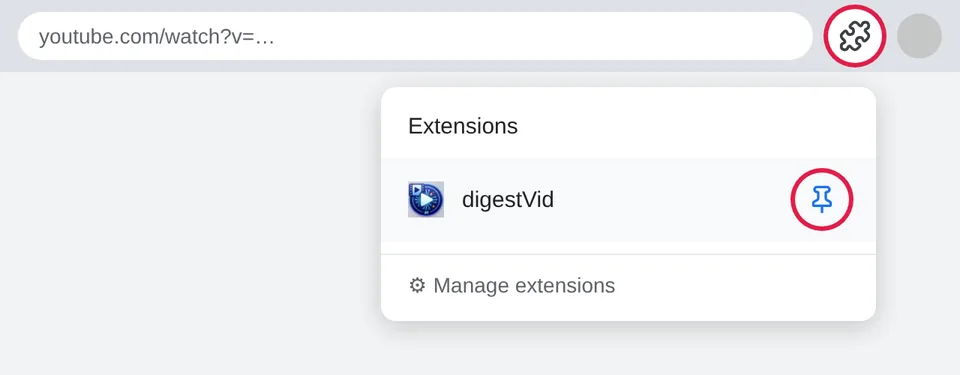
Illustration: puzzle-piece menu → pin digestVid. Open a YouTube video and click the icon
Pick an engine, a summary style, and click summarize. The first time, add an API key in Settings (see below).
Microsoft Edge and Brave work too: open edge://extensions or brave://extensions, turn on Developer mode (in Edge the switch is in the left sidebar), and use Load unpacked the same way.
Updating: download the new zip, replace the old folder with the new one, then click the reload arrow on the digestVid card in chrome://extensions. Your settings and keys stay.
Next: digestVid needs an API key from an AI provider (several have a free tier).
getting your API keys