 digest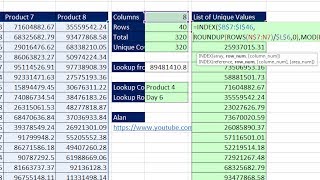
Short Summary
Main recommendation: Use the INDEX function combined with a "Number Incrementor" (ROWS with an expandable range) plus MOD and ROUNDUP to convert a two-way table into a single-column table with formulas that update automatically when the source data changes. The video notes that a quick one-time alternative is copying each column into the clipboard and using Paste All, but the formula method keeps the result dynamic without needing refresh.
Key Points
- The goal is a dynamic result: the formulas update instantly when anything in the source table changes, unlike Power Query or Paste Special, which require refreshing or redoing the operation.
- A one-time shortcut uses the Office Clipboard: copy each column, then use Paste All in a single column to stack the values.
- Copying a single formula down requires row and column indexes that cycle through 1 to 8 for each row, so the formula must generate a row-number pattern (1,1,1,1,1,1,1,1,2,2,...) and a column-number pattern (1,2,...,8,1,2,...,8).
- The ROWS function with an expandable range ($7:7) acts as a "Number Incrementor" that counts rows as the formula is copied down.
- The MOD function returns remainders after division, which produces the repeating 1-through-8 column pattern.
Details Worth Noting
- Concrete instructions:
- Row index: in N7, enter a formula using ROWS($7:7) to count rows, then divide that count by 8 and round up to the nearest integer (ROUNDUP with 0 digits) to get the row number that repeats eight times.
- Column index: take the same incrementor, subtract 1, divide by 8, and use MOD to get the remainder; then add 1 to produce column numbers 1 through 8 that repeat.
- Final formula: use INDEX over the full two-way table range (locked with F4), with the rounded-up row number as the row argument and the MOD-based column number as the column argument.
- Fill the formula down the full length of the output column (40 rows × 8 columns = 320 values in this example).
- Verify the result by pressing F2 on the last cell to confirm the formula references are correct.
- The example table has 8 columns and 40 rows.
- Hidden helper columns (K to M) were used during demonstration and then hidden.
- The video is the first of two in a row; the next video covers looking up column and row headers from any intersecting value.
Bottom Line
A two-way table can be flattened into a single column with a formula-driven INDEX, row, and column pattern that stays live, so the output updates automatically whenever the source changes.


