 digest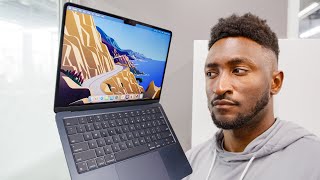
Short Summary
Main recommendation: Skip the new M3 MacBook Air if you do light, everyday computing, and buy the cheaper M2 MacBook Air (or an M1 MacBook Air where it is still sold) instead, while the M3 model makes sense for demanding work like video editing, gaming, heavy coding, or heavy photo work. The M3 refresh adds a new anodized finish, a 10–20% performance gain, and fixed base storage speeds, but the price gap and expensive upgrades change the value equation.
Key Points
- The only real changes are a new anodized exterior, described as only slightly more fingerprint resistant, and the M3 chip, which the speaker says still picks up fingerprints without a case or skin.
- Benchmarks show roughly a 10–20% improvement over M2 depending on the task, with a bigger emphasis on graphics and newly added ray tracing support.
- The base 256GB M2 model used a single, much slower SSD module (about 50% slower than M1 on paper); the speaker reports the M3 Air's base storage benchmarks look good, indicating this was fixed.
- Pricing has shifted: M3 Air starts at $1,099, M2 Air at $999 after a $100 cut, and the M1 Air has been discontinued by Apple but may still be in stock at Walmart or Best Buy.
- Apple's base-spec pricing is a problem: the base model is 8GB shared RAM and 256GB storage, and upgrading to 16GB RAM and 512GB storage adds $400, bringing the M3 Air to about $1,500.
Details Worth Noting
-
Concrete instructions: Choose the M2 MacBook Air ($999) for light, everyday use such as web browsing, music, many open tabs, work tasks, occasional small rendering, photo editing, and occasional short video trims. If you don't need the brighter display, MagSafe, or extra external display support, look for M1 MacBook Airs that Walmart and Best Buy were selling for about $649–$699 at the time. Buy the M3 MacBook Air only if you do media encoding, exporting, gaming, or heavy coding, and budget for upgrades since Apple Silicon chips cannot be upgraded later.
-
Concrete instructions: If you consider upgrading the M3 Air, the speaker's specific example is 16GB RAM for $200 extra and 512GB storage for $200 extra; a base model that is not upgraded may still be fine for light tasks.
-
The M3 MacBook Air dual external display support works only with the lid closed for two displays, while one external display is supported with the lid open.
-
The M3 chip has been in the iMac and MacBook Pro earlier; the Mac Mini and iPad Pro remain on M2 at the time of the video.
-
The speaker, who edits video, says the M3-level MacBook Air can now handle editing work that previously required an Apple desktop, using an M1 Max MacBook Pro for on-the-go editing.
Bottom Line
The M3 MacBook Air is a more capable machine but not the best value for most buyers; unless you need heavy performance, the cheaper M2 model or a discounted M1 model is the smarter choice.


