 digest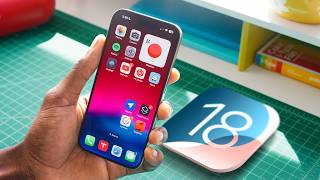
Short Summary
Main recommendation: Treat the new Calculator app's Math Notes mode as the standout iOS 18 feature, since it turns the calculator into a handwriting-friendly, notes-like tool that solves equations and syncs across devices. The video also covers a top-five list of iOS 18 features, with Control Center, the Passwords app, home screen customization, and smaller updates such as RCS messaging ranked below it. Apple Intelligence was deliberately excluded and is planned for a separate video.
Key Points
- The reviewer ranks the top five iOS 18 features as: 5) new Control Center, 4) Passwords app, 3) home screen customization, 2) "the little things," and 1) the Calculator with Math Notes.
- Control Center now has three pages, a full-page media visualizer, and a plus button for customizing control size and placement. Apple's controls are currently the only ones, but Apple has said third-party apps will be able to build in controls, and the reviewer hopes to see features like one-touch AC control eventually.
- The Passwords app consolidates password tools previously buried in Settings, adds two-factor authentication and passkeys, supports shared passwords within trusted contacts, and uses Face ID rather than a master password on iPhone.
- Home screen changes allow icons to be placed anywhere on the grid, plus dark, light, large-icon, and tinted modes. The reviewer finds the tinted mode weak, since some third-party icons become illegible.
- RCS messaging is now live on iPhone, enabling higher-quality media, typing indicators, and read receipts when texting Android users. Messages remain green bubbles rather than iMessage blue.
Details Worth Noting
- Concrete instructions:
- Control Center: Pull down from the top-right corner, swipe through the three pages, and tap the plus button in the corner to resize or move controls. Press and hold the lock screen, choose Customize, then Lock Screen, to replace the default flashlight and camera controls.
- Home screen: Press and hold anywhere on the home screen, tap Edit, then Customize, and choose Dark, Light, Large (larger icons, no text), or Tinted. The tinted option includes a color picker that can match your wallpaper color.
- Calculator: Open the Calculator app and tap the bottom-left toggle to switch from basic to Scientific or Math Notes. In Math Notes, write an equation with an equals sign to have it solved and updated automatically, and redefine a variable lower in a note to change its value from that point onward.
- Shazam: A Shazam shortcut is now a default Action button preset in the Settings app.
- The Passwords app works with the Mac app and a Chrome extension, but no Android version exists.
- Math Notes syncs across devices and recognizes handwriting, converting answers into the user's handwriting and making content searchable across the phone.
- The reviewer notes the Photos app's smart search improved, returning suggestions that narrow results, for example for "license plate."
- Game Mode gives games CPU priority and reduces Bluetooth latency for wireless headphones and controllers.
- Apple's Shazam acquisition was mentioned as a reason for the new shortcuts.
Bottom Line
iOS 18's most useful new features are largely self-contained on the iPhone, with the Math Notes calculator standing out as the most impressive, while some additions like the tinted icon mode still need better third-party support to look good.


