digest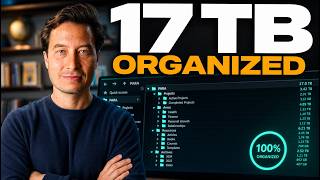
Short Summary
Main recommendation: Organize your files into the PARA system (Projects, Areas, Resources, Archives) and point AI at combinations of those folders to get context-rich analysis and planning. The speaker shows his own setup across a laptop and three drives, then demonstrates giving AI a project plus its broader area folders. He also mentions a Claude skill that reads your files and proposes a step-by-step plan to reorganize them into this structure.
Key Points
- PARA is the four-folder system the speaker has taught for over a decade: Projects, Areas, Resources, and Archives. He says he wrote two books on it.
- Each project should sit inside a broader area, so a specific launch can be read alongside long-term themes. His example: a book project lives within a "Books" area, and a recording studio project sits within a YouTube area.
- Pointing AI at a current project plus its related area folders produces a summary that draws on both detailed, recent data and big-picture learnings.
- The same method can be combined in many ways: comparing two projects, two areas, or two resources, or analyzing a full project portfolio or archive to find what to revive, scope down, or cancel.
- He keeps personal and work files separate, using a personal Google Drive, an individual work Google Drive, and a shared company drive.
Details Worth Noting
- Concrete instructions: Organize your files into four top-level folders: Projects, Areas, Resources, and Archives. Keep personal and work material in separate drives or accounts. Add shortcuts to the four PARA folders in your Finder sidebar, or the equivalent in your file manager, so you can reach any category in one or two clicks. For AI analysis, choose the specific project folder first, then add the relevant area folders (for example, Marketing and Content), and grant the AI access. Ask it to analyze the project's contents, then draw on the area folders to suggest strategies or tactics. For large shared drives, do not mirror everything locally. Stream the drive, then right-click only the folders you are actively working on and choose "make available offline" so they download to your computer.
- The shared Forte Labs drive he describes is about 17 terabytes, which is why he streams it instead of storing it locally.
- Keeping both specific, current project details and broad long-term themes gives the AI both levels of abstraction he finds valuable.
Bottom Line
A PARA folder structure, combined with pointing AI at a project and its surrounding area, lets you turn existing files into focused analysis and plans.