digest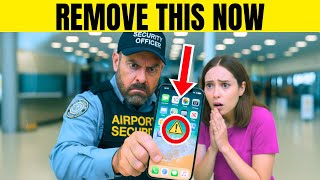
Short Summary
Main recommendation: Before flying, keep your phone looking like a normal, consistent part of your life rather than a wiped or heavily tooled device, since airport systems flag unusual patterns rather than reading your content. The video argues that the security risk comes from anomalies (such as a factory-reset look, many privacy apps, or unusual signals), which can prompt a silent flag that may lead to a CBP device search.
Key Points
- Airport security reads behavior and patterns more than content: a phone that looks freshly wiped, heavily encrypted, or unlike typical devices can stand out among thousands of phones scanned daily.
- Under the border search rule, CBP can ask you to unlock your phone, copy its contents, and keep the data for up to 15 years (according to AP News), and refusal can lead to delay or denial of entry for non-U.S. citizens.
- Innocent context can trigger suspicion: the video cites a programmer questioned for using Signal and a VPN, and two UK friends detained over a "Going to destroy America" tweet meant as slang.
- Device searches have grown sharply, from about 8,500 in 2015 to over 47,000 by 2024, and DHS reportedly tested systems that read Bluetooth and Wi-Fi signals in security lines (per the Guardian), with TSA later confirming those tests.
Details Worth Noting
- Concrete instructions:
- Review your gallery before travel and delete memes, inside jokes, old screenshots, protest photos, or fake boarding passes that could be misread out of context; keep backups in a safe place other than the device you carry.
- Go through your apps and ask whether you need each one while traveling; log out of or delete privacy tools, vault folders, disappearing-message chat apps, and second-number apps you don't need, since the transcript notes having five or six together can attract extra questions (not that they are illegal).
- Do any wipe, factory reset, or major clean-up at home, at least a day before your flight, not in the security line, and back up important data to the cloud or a computer first.
- Keep work files with ordinary names in mind (for example "Annual_planning.docx" or "strategy notes.pdf") and carry only what you need, both physically and digitally.
- If asked to unlock your phone, stay calm, politely ask whether the request is from TSA or CBP (only CBP has legal authority to search a phone), and avoid arguing.
- The video notes that a phone with no recent messages, social activity, or visible history can look "new," so keeping normal rhythms such as playlists, calendar, and everyday use helps it look consistent.
- The video states that all of these searches are legal and that the policy has existed for over a decade, not as a new law.
- U.S. citizens cannot be denied entry for refusing, but can be delayed, while non-citizens may be turned away; the video says there is no perfect script.
Bottom Line
The practical takeaway is to make your phone look like yours before you reach the airport, because the risk comes from standing out rather than from any single app or file.