 digest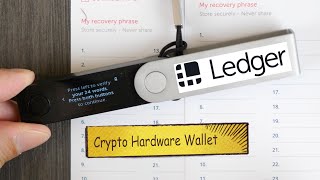
Short Summary
Main recommendation: Use a hardware wallet such as the Ledger Nano X to hold the recovery seed for your cryptocurrency, protected by a PIN, rather than leaving assets only on an exchange or website. The creator explains that the device does not store coins themselves; it holds the 24-word recovery seed that controls access to assets recorded on the blockchain. He also shows how to test a small transfer and how to verify the device is genuine before use.
Key Points
- The coins live on the distributed ledger (blockchain); the hardware wallet holds the key (the 24-word recovery seed) that proves ownership and authorizes sending.
- The device is protected by a PIN, and the speaker says the chip is designed to hide the recovery seed so an attacker with physical access would have a very hard time extracting it.
- Losing the device is not the same as losing the crypto: the 24 words can restore the assets on a new hardware wallet.
- Verify authenticity when you first plug it in; the device should show a check mark indicating it is genuine.
- Start small: the speaker first sent only a little Dogecoin to the device to build confidence.
Details Worth Noting
- Concrete instructions:
- Write the 24-word recovery seed on the three cards provided, and keep them secure; anyone with these cards can access the cryptocurrency.
- When first plugging in the device, confirm the check mark next to the device name that says it is genuine before trusting it.
- Choose a PIN; entering the wrong PIN three times wipes the device, after which it must be restored from the 24-word recovery seed.
- To move coins in, copy the receiving address shown on the device, then send from your exchange (the speaker used Coinbase) to that address; send a small test amount first.
- Install the apps for each cryptocurrency you need on the device; the device works alongside a phone app.
- If you are nervous about holding funds without a hardware wallet, you can temporarily import them into a software wallet and move them to the hardware wallet later.
- Fees and timing: the speaker sent 50 Dogecoin with a network fee of about 1.44 DOGE (roughly 30 cents at the time), and the transfer arrived almost instantly, though the app estimated about six hours.
- Pricing: the speaker says the Ledger Nano S costs $59 and the Nano X costs $119, and the Nano X has about 2 MB of storage, which the speaker notes is far more than needed for 24 words; the cost reflects the security features.
- Limited acceptance: the speaker says few merchants accept Dogecoin, so a map of merchants accepting it can be used to find places to spend it.
- Caveat: the speaker says there is a low risk that an experienced hacker with engineering skills and physical access could extract the recovery seed; this is the speaker's statement, not professional security advice.
- Disclosure: the speaker says Ledger provided the device for the video and offers a referral link in the description.
Bottom Line
A hardware wallet is best understood as a secured vault for your recovery seed rather than a container for coins, so protecting the 24-word seed and PIN matters more than protecting the device itself.


