digest
Short Summary
Main recommendation: Move your crypto from exchanges and hot wallets into a self-custodial cold wallet, keep one dedicated cold wallet for long-term storage, and avoid signing contract approvals with that main wallet. The video frames crypto security as five levels, from "reckless" (payment apps like PayPal, Cash App, or Revolut) up to "untouchable" (a cold wallet with a passphrase, diversified across wallets, and backed up on metal).
Key Points
- Payment apps and exchanges are custodial: they hold the keys, so they can freeze funds or lock accounts for reasons such as logging in from a new device, using a VPN, or breaching their user agreement.
- Exchanges have suffered repeated hacks, with the video citing more than $100 billion in Bitcoin stolen from exchanges since 2011, and the Bybit incident in which a bad transaction sent about $1.5 billion to a hacker's wallets.
- Hot wallets (MetaMask, Trust Wallet, Exodus, Coinbase Wallet) are self-custodial, but their keys live on an internet-connected device, so malware or spyware can expose everything.
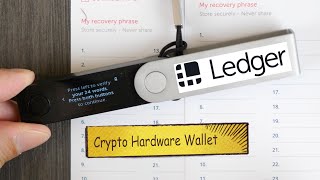
- Cold wallets are the most secure storage option, and the video says losses from them usually come from user error rather than wallet hacks.
- The main risk with a cold wallet is signing unlimited spend approvals on websites such as Uniswap, OpenSea, or airdrop and mining sites, which can let a contract drain funds now or in the future.
- Level five uses a passphrase (a 25th word) to create hidden wallets from one seed phrase, and spreads funds across multiple wallets to limit the impact of any single mistake.
Details Worth Noting
- Concrete instructions:
- Store most of your crypto in one dedicated cold wallet and use it only to send and receive crypto (or its native buy, sell, swap, and stake features if desired).
- Do not connect that main cold wallet to decentralized exchanges, NFT marketplaces, or airdrop/mining sites.
- For interacting with websites or doing quick transactions, use a separate burner wallet (hot or cold) and keep only the crypto needed for that task in it.
- After using the burner wallet, transfer anything you want to hold long-term back to your main cold wallet.
- Sending crypto from an exchange to your cold wallet, or between wallets, is described as safe; the danger is in signing approvals with the main cold wallet.
- Revoke unlimited spend approvals you have already signed using a tool such as revoke.cash.
- Enable the passphrase feature on your cold wallet, which creates a hidden wallet with its own addresses; store the seed phrase and passphrase in separate physical locations.
- Diversify by splitting funds across multiple wallets, either using different passphrases on one device or using multiple cold wallet devices; how much to put in each is a personal risk decision.
- Back up the seed phrase on metal rather than paper, since metal plates are built to withstand fire and flood; the video mentions the Keystone Tablet Plus as its favorite plate, and says the plate tool does not write the phrase for you.
- The video names Tangem and Ledger Flex as its favorite cold wallets for beginners and security, and says links and discount codes are in the description (not verified in the transcript).
- The speaker says only about 10% of crypto users reach level four, citing a 2023 study that found 10% of users use a cold wallet, and estimates the figure is lower today.
- The video says a crypto-specific computer and multi-sig accounts are unnecessary complications for most users.
- The video states that a next video covers how to choose the right cold wallet.
Bottom Line
Security comes down to who controls your keys and how carefully you sign transactions: keep your main holdings in a self-custodial cold wallet, and keep any website interaction in a separate burner wallet.