digest
Short Summary
Main recommendation: Don't keep your crypto on an exchange; move it to a crypto wallet where you hold the private key yourself, starting with a free hot (software) wallet like Trust Wallet and upgrading to a cold (hardware) wallet for long-term storage. The video also covers how a wallet's public and private keys work, how to back up your seed phrase, and how to transfer crypto between wallets and off exchanges.
Key Points
- Crypto itself lives on the blockchain, a digital ledger across thousands of computers; a wallet stores the public and private keys that give you access to it.
- The exchange holds the private key when you open an account there, so the exchange controls your funds and you could lose them if it fails or is hacked.
- Hot wallets (software apps on a computer or phone) are free, convenient, and quick to set up, but more vulnerable to hacks because they stay connected to the internet.
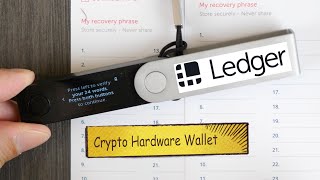
- Cold wallets (hardware devices) keep the private key offline, are almost impossible to hack when used correctly, but cost money and take longer to set up.
- The seed phrase (12 or 24 words) is the key to your funds; if you lose it and are logged out, there is no reset and access is gone permanently.
- Wallet addresses are blockchain-specific, so sending a coin to an address on the wrong network can result in losing it.
Details Worth Noting
- Concrete instructions:
- Download the wallet from its official site (the speaker uses trustwallet.com; for a browser, add it via the Chrome Web Store and "Add to Chrome").
- Choose "Create a new wallet" (not "Import wallet" unless recovering an existing one).
- Set a password for the app or extension; if forgotten, there is no reset, so you must reset the wallet and re-import your recovery phrase to set a new password.
- Back up the secret recovery phrase by writing the words down in order, left to right. Never store it on a computer, phone, screenshot, file, or cloud. Keep it in a secure physical location such as a home safe.
- Confirm the backup by selecting each word in the correct order when prompted.
- To transfer crypto between wallets: open the receiving wallet, tap Receive, choose the coin, and copy the public address; in the sending wallet, go to Tokens, choose the coin, tap Send, paste the address, enter the amount, tap Next, select a transaction speed (choose the most aggressive option if the network is busy), and tap Confirm.
- To send from an exchange: sign in, choose the crypto, tap Send/Receive, paste your wallet's public address, and confirm.
- When sending to a new wallet or using a blockchain for the first time, send a small test amount first (the minimum allowed), confirm receipt, then send the rest.
- The speaker suggests moving crypto from an exchange to a hot wallet while working toward a cold wallet for permanent storage.
- Metal seed phrase plates (solid stainless steel) are recommended by the speaker to protect against floods, fires, or spills; the speaker links the specific plate in the video description.
- The speaker says a hot wallet like Trust Wallet is versatile because it supports many blockchains and cryptocurrencies, though the same steps apply to other software wallets and mobile apps.
Bottom Line
Exchanges are for trading, not storage; the safest practical path is to move your crypto into a wallet you control, protect the seed phrase offline, and test every transfer with a small amount first.