digest
Short Summary
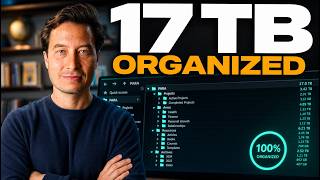
Main recommendation: Organize all your digital information, across notes, files, and apps, using the PARA method, which sorts everything into four categories: Projects, Areas, Resources, and Archives. Tiago Forte presents this as a single, repeatable workflow so you can decide where each new note or document goes without re-deciding the rules every time. He demonstrates it with his own Evernote setup, which holds more than six or seven thousand notes across these four categories.
Key Points
- Projects are short-term outcomes that require multiple work sessions and have a deadline, such as writing a blog post, reorganizing a house, potty training a dog, or planning a vacation. Forte says most people have roughly 15 to 25 active projects.
- Areas are ongoing roles or responsibilities with a standard to maintain and no finish line, such as finances, health, a significant other, or a business. They stay relevant over time even when not actively worked on.
- Resources are topics of ongoing interest or useful reference material, such as hobbies, learning subjects, recipes, or photos for future use, that are not yet tied to a current project or area.
- Archives hold inactive items from the other three categories. Forte advises never deleting material, only archiving it, so it stays searchable. Projects are archived most often because they have a built-in completion date.
Details Worth Noting
- Concrete instructions: Use this workflow each time you create a new note or save a new document: decide whether it belongs to a Project, an Area, a Resource, or the Archive, then file it there. Create a project list of your current goals and outcomes, since most people have 15 to 25 projects. Keep one shared PARA structure across every app and location you store information, rather than using a different organizing philosophy in each one. Do not delete inactive material; move it to Archives. When a resource becomes relevant to a new goal, retitle the notebook as a specific project outcome and move it from Resources to Projects in one step.
- Forte's Evernote setup numbers its top-level folders 1 to 4 (Projects, Areas, Resources, Archives) so they sort from most to least actionable. Each project is a subfolder with its own notes, such as a brand identity project with brainstorms, fair-use notes, and Pinterest imagery.
- Areas can be split into personal and professional halves, with business-related notebooks prefixed "FL" for his company, Forte Labs.
- Archives typically hold more material than the other three categories combined, and Forte describes browsing them as a record of past experience.
- He notes that a notes app is the core of his "second brain," and that PARA works across apps and devices. He says follow-up videos cover building a project list, moving notes into PARA categories, and app-specific workflows.
Bottom Line
PARA works because it replaces repeated organizing decisions with four fixed categories ordered by how actionable each item is, and it scales to thousands of notes.